In about five minutes, you can fix the things Idiolect AI gets wrong about your writing, once, so they stay fixed in ChatGPT, Claude, Claude Code, Codex, Cursor and Studio.
No Writing Profile yet? Rules work from day one. For habits and questions, start with Idiolect AI on the web.
There are four ways to teach it. Rules are the fastest. Edits are the most precise. Fixing a habit corrects something it learned wrongly. Answering its questions settles the cases where you and your writing disagree.
1. Say a rule once
A rule is a lasting preference, said in your own words. In any connected AI app, just say it:
Don't end my emails with "Best,". Use "Kind regards,".No exclamation marks in work emails. Ever.I write "OK", never "okay".These are examples. Rules like these are saved word for word, the way you say them. Yours can be just as blunt.
Your AI app saves the rule with Idiolect AI. You don't need to name Idiolect AI, and you only need to say it once. In ChatGPT, you give permission to save it in the chat. After that, the permission holds for the rest of the conversation.
On the web: these steps are on the newer Writing Profile page. If you don't see Add a rule, say the rule in your AI app instead.
- Open Writing Profile.
- Select Add a rule.
- Write it in New rule, in your words.
- Select Add rule.
Narrow a rule to where it applies
Most preferences aren't universal. Say where the rule applies, and Idiolect AI keeps that scope with it:
For short replies in an existing email thread: no signature, and no "Hi".For emails to clients only: no exclamation marks.For my Work profile only: no emoji.A rule can be scoped by where the writing goes (email, chat, a social post), who reads it, your relationship to them, what the writing is for, how formal it is, or its format. On the web, each rule shows where it applies.
A rule you state without naming a Writing Profile applies to All your Writing Profiles. Name a profile and it applies to that one only.
2. Let your edits count
When Idiolect AI writes something and you change it before you send it, the difference is the most precise lesson it can get. Make sure it sees it.
In an AI app, ask for changes in plain words. You don't need to name Idiolect AI again:
Shorter, and warmer in the first line.When you've sent your own version, tell the app and paste what you sent:
I sent it with these changes: [paste the version you sent]The app records what happened to the draft: kept, edited, rejected or replaced. Edited final wording can update your Writing Profile.
In Studio:
- Edit the draft in place.
- Select Copy. If you edited it, Idiolect AI records the version you copied.
- If the draft was no good, select Mark as wrong instead.
3. Fix a habit it got wrong
Your Writing Profile lists the habits Idiolect AI found in your writing. If one is wrong, correct it.
On the web: if you don't see Fix it on your Writing Profile page, use the AI-app steps below.
- Open Writing Profile.
- Select the habit.
- Select Fix it.
- Write what is right, in your words.
- Select Save as rule. The rule replaces the habit.
- If you see Changes not saved, select Save.
If the habit is right, select This is right. If it's simply wrong, select Remove. You can undo a removal later.
In an AI app:
Show the habits in my Writing Profile that aren't sure yet.Then say which ones are right, which are wrong, and how you really write. The app confirms, removes or replaces each one.
4. Answer its questions
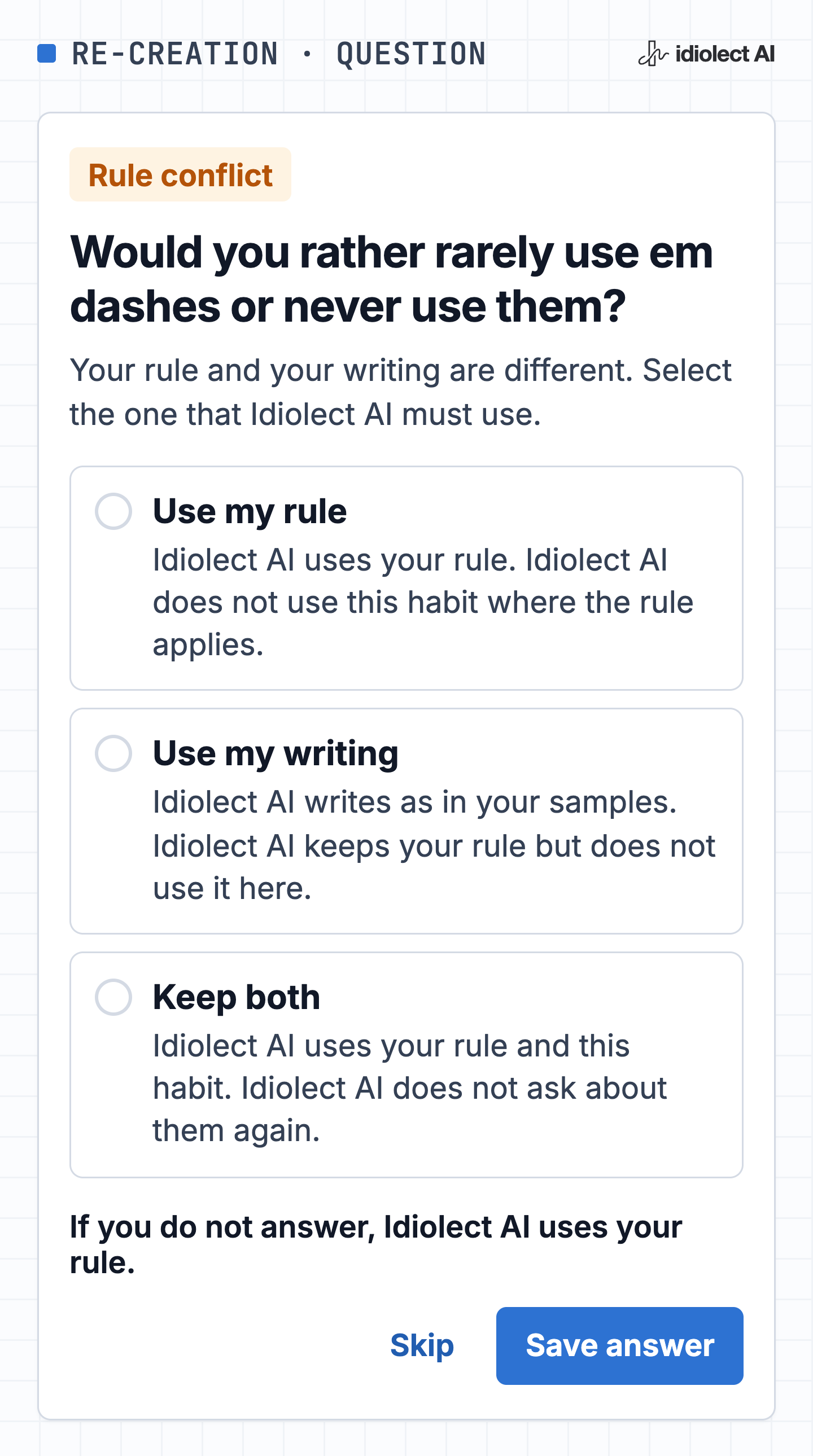
Sometimes your rules and your writing disagree. Say you told it you never use em dashes, but a few of your samples use them. Idiolect AI doesn't guess which one you meant. It asks, for example:
Would you rather rarely use em dashes or never use them?
You choose to follow your rule, write the way you do, or keep both. Each question has a default, and Idiolect AI uses it until you answer. For a clash between a rule and your writing, the default is your rule.
If you keep asking for the same change ("make it shorter", draft after draft), it can ask whether to make that a rule. Until you say yes, it doesn't.
Open questions show on the web under Questions. In an AI app, ask: "Does my Writing Profile have any open questions?"
When it takes effect
- Rules, fixes and edits take a few minutes to reach your Writing Profile. The web says so when you save: "Rule saved. We update your Writing Profile in a few minutes."
- An answer to a question is used from the next piece.
- A rule always wins over a habit Idiolect AI found. Your words beat its guesses.
Why it works
Rules are saved in your words, with your scope, and go with every piece in every connected app. A pattern Idiolect AI noticed is never saved as a rule you told it: those stay in your words. Edits show it the exact gap between what it wrote and what you'd send, which no description can.
The idea underneath
When a publisher copy-edits a book, the copy editor keeps a style sheet: a running list of the decisions made for that one author. "Toward", not "towards". Numbers under ten in words. The character's name always with the accent. The sheet isn't a rulebook brought in from outside. It's a record of choices the author already made, kept so that the choice made on page 12 still holds on page 300.
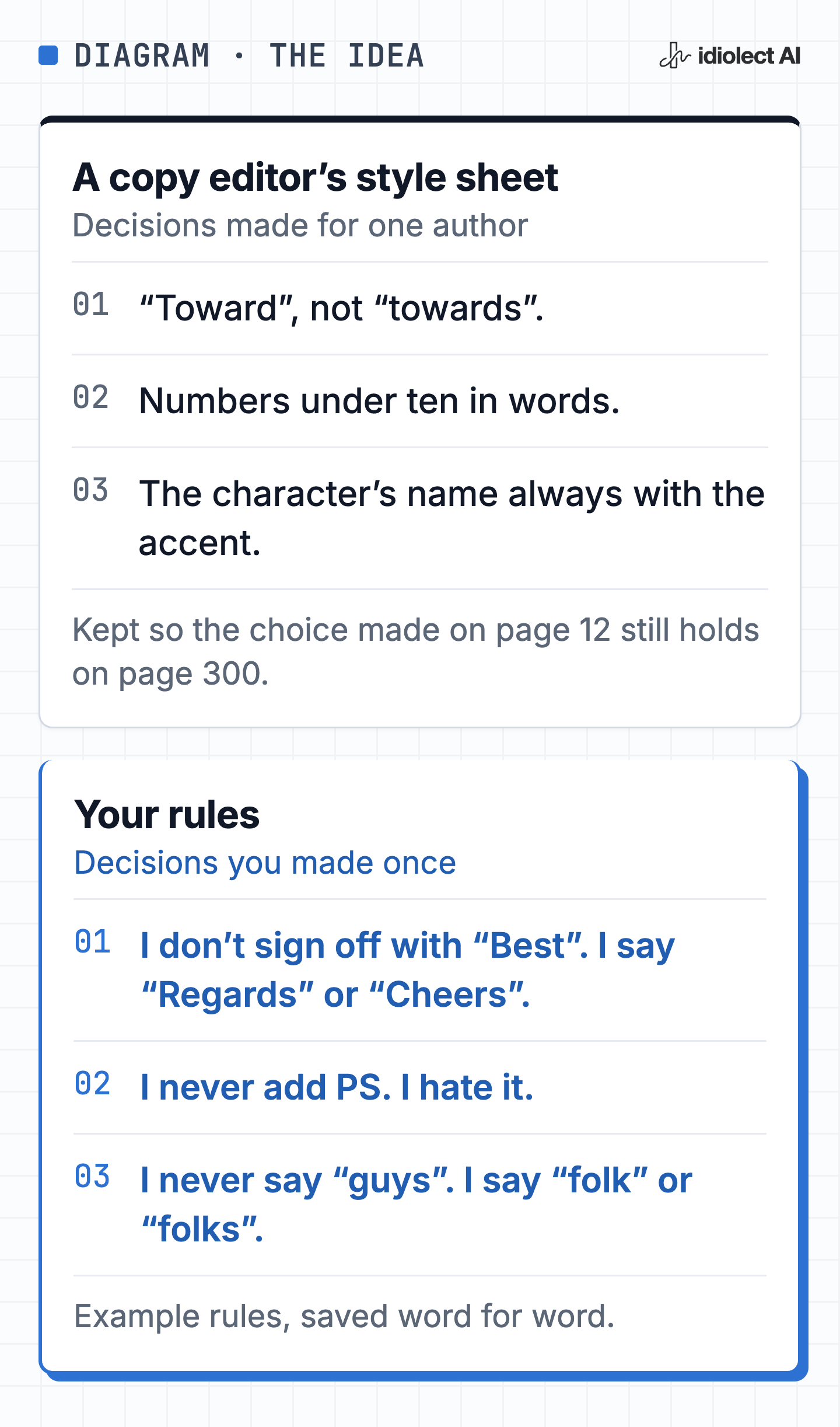
Your rules are that sheet. Each one is a decision you made once, so you never have to make it again. And edits are how the sheet gets written. Few people can sit down and describe their taste, but almost everyone knows, instantly, that "Best," is wrong at the bottom of their email. Taste shows up as a correction long before it shows up as a description, so every correction is worth keeping.
Next: Let your AI build your Writing Profile. More of your own writing is the next thing that teaches it.