In about five minutes, your coding agent can write the parts of software work that people actually read, in your voice: PR descriptions, release notes, replies to issues and commit messages.
If Idiolect AI is already connected in ChatGPT or Claude, there may be nothing to install. Codex uses your ChatGPT account and Claude Code uses your Claude account, so signing in to the agent with the same account is enough.
Before you start
- An Idiolect AI account. You can make one at idiolect.app/start.
- For Codex, the ChatGPT account you use in Codex. For Claude Code, the Claude account you use in Claude Code.
- You do not need a Writing Profile first. If you have none, Idiolect AI can ask you a few questions about how you write the first time it writes for you, or you can tell it to write now.
All three setups start on the same page: idiolect.app/connect. Sign in, then find your app under Coding agents (Codex, Claude Code) or Editors (Cursor).
Codex
- On the Connect page, select Codex.
- Go to the Idiolect AI plugin in the ChatGPT directory.
- Select Connect on that page.
- Sign in to Idiolect AI with the email you use on idiolect.app.
- Open Codex and sign in with the same ChatGPT account.
If you already added Idiolect AI in ChatGPT, do step 5 only.
Claude Code
- On the Connect page, select Claude Code.
- Go to the Idiolect AI connector in the Claude directory.
- Select Connect on that page.
- Sign in to Idiolect AI with the email you use on idiolect.app.
- Open Claude Code and sign in with the same Claude account.
If you already connected Idiolect AI in Claude, do step 5 only.
Cursor
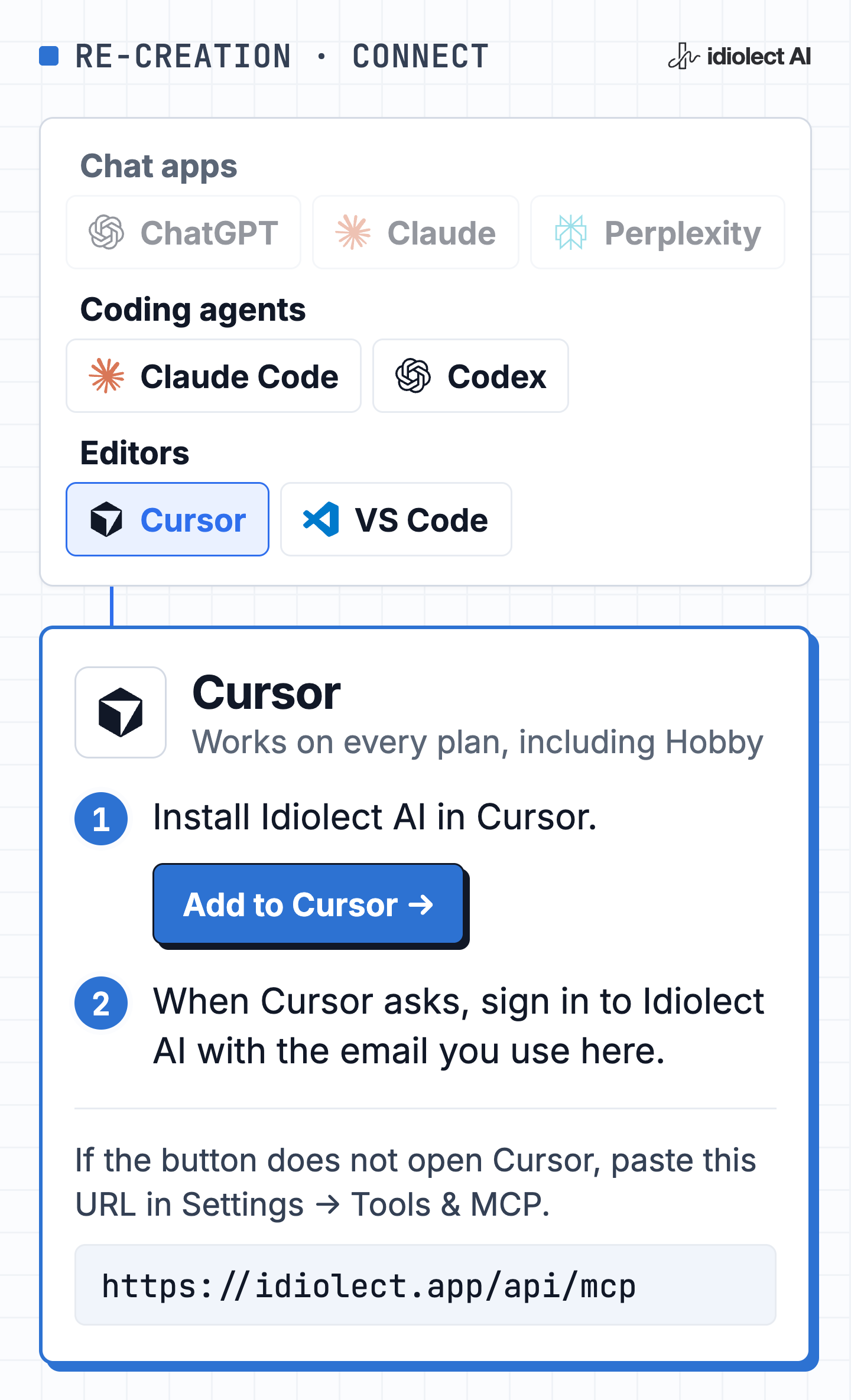
- On the Connect page, select Cursor.
- Select Add to Cursor.
- When Cursor asks, sign in to Idiolect AI with the email you use on idiolect.app.
If the button does not open Cursor, open Settings → Tools & MCP in Cursor and paste this URL:
https://idiolect.app/api/mcpIdiolect AI works on every Cursor plan, including Hobby.
Check that it works
Paste this into your agent:
Which Idiolect AI account is connected, and how many words do I have left?The agent shows the account's email address, its plan, the words left and the Writing Profile it writes with. If you see those, you're connected.
What to ask for
A coding agent can read your diff, your commits and your issues. Idiolect AI can't, and doesn't need to: it writes from the facts it's given and does not invent the missing ones. So the best requests ask the agent to gather the facts first, then hand the writing to Idiolect AI. Naming Idiolect AI in the request makes sure the agent uses it.
A PR description
Read the diff on this branch. Then use Idiolect AI to write the PR description in my voice: what changed, why, and how to test it.Release notes
Look at the commits since the last tag. Use Idiolect AI to write release notes for our users in my voice. Include only the changes a user would notice.A reply to an issue
Read issue #123 and the fix we merged for it. Use Idiolect AI to write my reply: thank them for the steps to reproduce it, say what we changed, and say which version has the fix.A commit message
Use Idiolect AI to write the commit message for the staged changes. A first line under 50 characters in the imperative, a blank line, then a short paragraph on why.A docs page or README section
Read the new config options in this change. Use Idiolect AI to write the README section that explains them, in my voice, with one example for each option.Make your house rules stick
Most teams have conventions: no emoji in commits, British spelling in docs, no "we're excited to announce" in release notes. Say each one once, as a lasting preference, and Idiolect AI saves it as a rule:
From now on: my commit messages never use emoji.For release notes only: no "we're excited to announce". Start with what changed.The rule is saved in your words, with the scope you gave it. It applies in every app where Idiolect AI writes for you, not only in the agent where you said it. Teach Idiolect AI with your edits and rules covers rules in full.
If something's off
The agent never uses it. Start a new session. Some apps only pick up a new connector in a fresh chat. Then name it in the request: "Use Idiolect AI to write…"
Asked to sign in again, the wrong account, or "Rate limit reached"? Reconnecting and other connection fixes has each fix.
Why it works
Your Writing Profile belongs to your Idiolect AI account, not to one app. Every connected app writes with your default Writing Profile, so the announcement email from ChatGPT, the release notes from Codex and the PR description from Claude Code come from the same description of how you write. The agent brings the facts from your code. Idiolect AI brings you.
The idea underneath
Developers already write under strict conventions, and the conventions are good. Git's own documentation suggests starting a commit message with one short line, no more than 50 characters, then a blank line, then a fuller description. That first line becomes the commit's title everywhere Git shows it, and the subject line when a commit is sent as an email. The Linux kernel's guide to submitting patches asks for the imperative mood, "make xyzzy do frotz" rather than "this patch makes xyzzy do frotz", and asks you to describe the problem first, so a reviewer is convinced there is something worth fixing.
Notice what the conventions settle and what they leave open. They fix the shape: the length of the title, the mood of the verb, the blank line. They say nothing about the paragraph underneath, where you explain why. The kernel guide says that explanation should make sense to someone reading it years later. That reader wasn't in the room. Often it's a maintainer you'll never meet, and sometimes it's you.
So treat the conventions as rules and keep them exactly. The voice lives in what they leave free: the reason, said the way you'd say it to the person who has to live with the change.